Month: October 2026

dnd character sheet 3.5 pdf

Official 3.5 Character Sheet PDFs

Official 3.5 PDFs come directly from Wizards of the Coast. The Core Rulebook sheet is a free, printable PDF that supports simple data entry, basic class plug‑ins, and auto‑calculating stats. It can be downloaded as PDF, text, or viewed online for quick character setup. It lists feats, skills, equipment for build.

Core Rulebook PDF Sheets

Wizards of the Coast provides the official 3.5 character sheet as a free, printable PDF that can also be downloaded in plain text or viewed directly in a browser. The Core Rulebook sheet is designed for quick data entry, featuring a clean layout that lists each ability score, skill, feat, and equipment slot in a single, organized page. It includes a dedicated section for race, class, alignment, and level, as well as a table for hit points, armor class, and initiative. The sheet automatically calculates key statistics such as total hit points, base attack bonus, and saving throws when the user fills in the relevant fields. A small, embedded calculator updates these values in real time, reducing the need for manual arithmetic. The layout follows the standard 3.5 format, with separate columns for skill ranks, ranks earned, and class skill markers. It also contains a section for special abilities, spells, and equipment, complete with a cost column for quick budgeting. Because the PDF is fully printable, players can print a copy for in‑game use or keep it on a tablet for digital reference. The file size is modest, making it easy to download and share via email or cloud storage. Wizards of the Coast also offers a text version that can be imported into spreadsheet programs for additional customization. Overall, the Core Rulebook PDF sheet is the most straightforward, officially sanctioned option for players who want a reliable, no‑frills character sheet that keeps all essential data in one place. The sheet also displays the ability modifiers next to each score, and includes a dedicated area for the character’s background, personality traits, ideals, bonds, and flaws, allowing players to capture role‑playing details alongside mechanical data. The PDF’s design accommodates both single‑page and double‑page printing, so groups can choose the format that best fits their gaming table. Wizards of the Coast periodically updates the sheet to reflect errata, ensuring that any changes to class features or spell lists are incorporated. Because it is an official product, it is fully compatible with other Wizards of the Coast materials, such as the Advanced Player’s Guide and the Dungeon Master’s Guide, and can be used seamlessly with digital tools that accept PDF input. Players who prefer a more visual approach can also find high‑resolution versions that include decorative borders and thematic artwork, though the core functionality remains unchanged. All in all. —!!

Expanded Class Plug‑Ins

Expanded class plug‑ins extend the base 3.5 sheet by adding dedicated sections for new classes, prestige classes, and optional rules. Wizards of the Coast released a set of plug‑in PDFs that align with the Advanced Player’s Guide, the Complete Arcane, and the Complete Divine. Each plug‑in contains a separate tab for the class’s hit points, base attack bonus, saving throws, skill points, and class‑specific feats. The layout mirrors the core sheet but adds a “Class‑Specific” column that lists unique abilities, such as the fighter’s weapon focus or the wizard’s spell list, with slots for spell levels and known spells. The plug‑ins also include a “Feats” table that automatically updates the total number of feats earned, making it easier to track the character’s progression. For prestige classes, the plug‑ins provide a “Prerequisites” section that highlights required ability scores, feats, and skill ranks, and a “Progression” table that shows how the character’s base attack bonus, saving throws, and skill points evolve each level. The PDF format allows users to print the plug‑in as a separate sheet or merge it with the core sheet using a PDF editor. Many online resources, such as Templateroller, offer free downloadable versions that can be filled online or printed for quick reference. The plug‑ins support auto‑calculation for spell slots and class‑specific bonuses, cutting manual errors during leveling!!! Overall, these expanded class plug‑ins provide a comprehensive, user‑friendly solution for players who want to incorporate the full breadth of 3.5e’s class options into their printable character sheets.

Third‑Party Printable Templates

Third‑party printable templates offer free PDFs from sites like Templateroller and GygaxGames. They support custom classes, races, feats, and auto‑calculation fields. Users can download, print, or edit in PDF editors for quick character creation. and templates PDF!! Quick

Free Download Sites

Several online repositories provide free, printable PDFs for Dungeons & Dragons 3.5 character sheets. The most popular include Templateroller, which hosts a clean, editable sheet that can be downloaded in PDF or Word format. The official Wizards of the Coast site still hosts the Core Rulebook sheet, available for free download as a PDF. Other community sites such as DnD‑3.5‑Sheets.com and RPG‑PDFs.com provide additional variations, including sheets with expanded racial options, custom feat lists, and auto‑calc fields. All these resources are free to download, printable, and can be edited with standard PDF editors. Users can also find archived PDFs on the internet archive or fan‑made collections on Drive or Dropbox links. When using these sites, always verify the file’s integrity and ensure it matches the 3.5 edition specifications. Downloading from reputable sources reduces the risk of corrupted files or outdated templates. For quick access, many sites offer direct download links, while others provide a form to request a specific sheet version. Once downloaded, the PDF can be printed on standard 8.5×11 paper, or imported into digital character management tools for further customization. These free download sites are invaluable for players and dungeon masters who want a quick, reliable way to create and manage characters without purchasing official PDFs.

These tools allow quick edits, enabling players to adjust attributes on the fly and keep consistency across sessions.

The community shares updated versions, ensuring compatibility with rule changes newto.

Quality and Layout Considerations

When selecting a 3.5 character sheet, the layout should mirror the official design to preserve readability. A clean grid with clearly labeled sections for ability scores, skills, feats, and equipment is essential. The sheet must be printable on 8.5×11 paper, with margins that allow for handwritten notes. High‑resolution PDFs (300 dpi) prevent pixelation when printed at full size. The font size should be at least 10 pt for body text and 12 pt for headings; this balances legibility with space efficiency. Avoid excessive white space, but also ensure that each field has enough room for a standard character name or number. The layout should include separate columns for class, level, race, and alignment, followed by a detailed skill list that marks class skills with a distinct symbol. Auto‑calculation fields are a bonus; they reduce manual errors and speed up character creation. When using free download sites, verify that the PDF is not corrupted and that form fields are functional. A good sheet will also provide a printable “back” side for notes or a quick reference table. Finally, test the sheet on both Mac and Windows PDF viewers to confirm that the layout remains consistent across platforms. A well‑crafted sheet enhances the gaming experience by keeping information organized and readily accessible during sessions. Additionally, many printable sheets include a quick reference table for spell slots, saving throws, and skill modifiers, which can be printed on the back of the sheet for easy access during gameplay. for players. now.

Fillable PDF Options

Fillable PDFs let you input data directly. Online tools auto‑calculate modifiers, saving throws, and hit points. After filling, export to PDF or image for printing. Many sites offer templates that preserve form fields, making updates easy for each level. They support bulk export for group sessions. Enjoy edits.!!

Online Fillers and Auto‑Calculation

Online fillers let you input character data directly into a web form, which automatically calculates modifiers, saving throws, and hit points. The Dungeons & Dragons 3.5e Character Sheet Download Printable PDF site offers a fillable PDF that can be edited online or downloaded in PDF or Word format. Users can mark class skills, feats, and equipment, and the tool updates total stats in real time. After completing the sheet, the page provides options to export the completed character as a PDF or image for printing. This workflow eliminates manual calculation errors and streamlines character creation for both solo and group sessions. The auto‑calculation feature ensures that any changes to ability scores or level are reflected instantly, saving time and reducing mistakes during gameplay. Additionally, the online interface supports saving progress to the cloud, allowing players to access their sheets from multiple devices. This convenience is especially useful for remote play or when traveling between different gaming locations. By leveraging these digital tools, players can focus more on role‑playing and less on bookkeeping. These tools also integrate with popular virtual tabletops, allowing seamless character sheet updates during online sessions and ensuring that all players stay on the same page. Moreover, the auto‑calculation ensures that level‑up bonuses are applied instantly, and the sheet automatically adjusts hit dice and saving throws, reducing the need for manual updates during combat. These resources empower players to focus on storytelling, the sheet handles the math.

Exporting and Printing Tips

Before exporting, verify that all fields are correctly filled and that the auto‑calculated values match your expectations. Many online fillers allow you to download a ready‑made PDF; choose the “Save as PDF” option in your browser’s print dialog to preserve formatting. If you are using a fillable PDF, fill in the form, then use the “Export” function in Adobe Acrobat or a free alternative like PDF‑Creator to generate a flattened PDF that locks in your entries. Flattening removes interactivity, ensuring that the sheet prints exactly as intended and preventing accidental edits on other computers. When printing, use high‑resolution settings and select “Actual Size” to avoid scaling issues that can shift columns or truncate data. If you need a double‑sided sheet, enable duplex printing and preview the layout to confirm that the back side aligns with the front. For a more durable option, print on cardstock or use a professional printing service that offers matte or glossy finishes; this protects the sheet during long campaigns. Finally, keep a backup copy in a cloud service or on an external drive so you can re‑export or re‑print if the original file becomes corrupted. By following these steps, you’ll ensure that your character sheet is both accurate and resilient for future gaming sessions. Tip: If you prefer a thicker sheet, choose a 100‑gram paper; it resists tearing during intense sessions. Additionally, consider laminating the final sheet to protect it from spills and wear. For quick reference, keep a laminated copy in a folder and a digital backup on a now USB drive.!

Customization and Personalization

Use the PDF’s fields to add custom races, feats, or home‑brew traits. Many sheets support drop‑downs and checkboxes; simply type or select options.quickly so Save the file, then export as a new PDF to preserve changes. This lets you tailor stats while keeping official layout.

Adding Custom Races and Feats

To personalize a 3.5 character sheet, begin by opening the PDF in a viewer that supports form fields. Most official sheets allow you to type directly into the “Race” and “Feats” boxes. For custom races, simply replace the default name and adjust the ability score modifiers in the adjacent fields. If the sheet uses a dropdown list, you can add a new entry by editing the PDF’s form properties, then saving the updated file. For feats, you can enter the feat name, level requirement and any prerequisites in the provided text boxes. Some printable sheets include a “Custom Feats” section; if not, create a new line and use the free‑form fields to record the feat’s description and effect. After adding your custom entries, use the PDF’s “Save As” function to preserve the changes. When printing, choose the “Fit to Page” option to ensure all added text remains legible. If you plan to share the sheet online, export it as a new PDF to avoid overwriting the original template. This process keeps the official layout intact while allowing you to expand the game’s options.

Lorem ipsum dolor sit amet, consectetur adipiscing elit. Lorem ipsum dolor sit amet, consectetur adipiscing elit. Lorem ipsum dolor sit amet, consectetur adipiscing elit. Lorem ipsum dolor sit amet, consectetur adipiscing elit. Lorem ipsum dolor sit amet, consectetur adipiscing elit. Lorem ipsum dolor sit amet, consectetur adipiscing elit. Lorem ipsum dolor sit amet, consectetur adipiscing elit. Lorem ipsum dolor sit amet, consectetur adipiscing elit. Add custom content to tailor your character sheet fully.

Integrating with Digital Platforms

Digital integration of a 3.5 PDF character sheet can be achieved by converting the static form into a fillable PDF that syncs with online tools such as D&D Beyond, Roll20, or Fantasy Grounds. The first step is to export the official sheet as a PDF with form fields enabled. Once the PDF is open in Adobe Acrobat or a similar editor, use the “Prepare Form” tool to add interactive fields for abilities, skills, feats, and equipment. After the fields are defined, save the file as a “fillable PDF.” To sync with D&D Beyond, upload the PDF to the character’s “Custom Sheet” section; the platform will read the field names and populate the character sheet automatically. For Roll20, import the PDF into the “Character Sheet” module, then use the “Import Sheet” feature to map the fields. Fantasy Grounds requires a custom XML file; use the “PDF to XML” converter available in the community to translate the PDF form fields into the XML schema. Once the sheet is mapped, the character’s stats update in real time as you edit the PDF. For mobile use, convert the PDF to a form‑enabled file in the “Fillable PDF” format and sync it with cloud storage such as Google Drive or Dropbox. This allows you to edit the sheet on the go and have the changes reflected in your digital platform. Remember to keep the PDF version updated whenever you add new custom races or feats, and re‑upload the updated file to maintain synchronization across all platforms. The sheet’s flexibility enables quick adjustments during play, and its compatibility with major virtual tabletops ensures a seamless transition from paper to digital play. for al!!! Enjoy! OK

Community Resources and Support

Community forums such as Reddit’s D&D 3.5 section, EN World, and the archived Paizo boards host user‑generated sheets, troubleshooting threads, and custom‑race discussions. Many creators have converted the official PDF into fully‑filled, auto‑calculating sheets that import into Roll20, Fantasy Grounds, or Fantasy Grounds Lite, adding fields for home‑brew feats and equipment. Dedicated sites like the D&D 3.5 PDF Archive provide free editable PDFs, while the D&D 3.5 Sheet Generator on Roll20 offers a web interface to build a character and export a PDF. YouTube channels such as “The 3.5 Sheet” walk through filling out the sheet and integrating it with digital platforms, keeping characters up‑to‑date and customized for each campaign. The community’s ethos encourages designers to publish PDF templates on GitHub, allowing users to tweak or add sections.

Discord servers dedicated to 3.5, such as “3.5e Community Hub”, provide real‑time help and monthly sheet‑building workshops that share optimization tips. Print‑ready PDFs can be sourced from sites like DriveThruRPG, where authors sell sheets with pre‑printed tables and artwork. The Wizards of the Coast forums still host a thread where players discuss long‑term support for 3.5, offering advice on maintaining compatibility with newer editions while preserving gameplay. and tips. more!!

Many designers share their own PDF templates on GitHub, complete with source files in LaTeX or InDesign, allowing users to tweak layout or add custom sections. YouTube tutorials walk through filling out the sheet, adding custom fields, and integrating with digital platforms, ensuring that characters remain up‑to‑date and customized for each campaign. Additionally, members post macro scripts that automate tasks like calculating spell slots or hit points.


maybelline skin tint shade guide

Maybelline Skin Tint offers a lightweight, sheer coverage that blends seamlessly into any complexion. This guide helps you navigate its diverse shade range, ensuring a natural, flawless look from fair to deep tones. Discover how to match your skin tone effortlessly. Use this guide to find your perfect match now

1.1 What is Maybelline Skin Tint?

Maybelline Skin Tint is a lightweight, sheer‑coverage product that blends like a second skin. It delivers a natural, dewy finish while providing a touch of coverage that evens skin tone without the heaviness of traditional foundations. The formula is enriched with hydrating ingredients such as glycerin and niacinamide, which help to soothe and moisturize the complexion.

Unlike conventional foundations, Skin Tint is designed to be applied in thin layers, allowing you to build coverage gradually. This makes it ideal for everyday wear, special occasions, or when you want a “no‑makeup” look that still looks polished. The pigment concentration is low enough to avoid a cakey appearance, yet high enough to mask unevenness and redness.

Users often report that the tint feels almost invisible after a few hours, especially when applied with a damp beauty sponge or a light hand. Because the product is formulated with a blend of mineral pigments and natural oils, it adapts to the skin’s own undertone, giving a subtle, luminous glow that looks authentic under any lighting.

  • Sheer coverage that blends like a second skin.
  • Hydrating formula with glycerin and niacinamide.
  • Buildable, natural finish for any occasion.

Because it is formulated with a blend of mineral pigments and natural oils, the tint adapts to the skin’s undertone, giving a subtle, luminous glow that looks authentic under any lighting. Many users find it ideal for daily use, as it resists creasing and maintains a fresh appearance throughout the day.

It’s a staple in use.

1.2 Why It’s Popular

Maybelline Skin Tint has become a favorite among beauty enthusiasts for several compelling reasons. First, its lightweight, sheer coverage offers a “no‑makeup” look that still evens skin tone and hides imperfections without feeling heavy or cakey. The formula’s blend of mineral pigments and hydrating ingredients like glycerin and niacinamide gives a natural, dewy finish that stays fresh all day. Second, the product’s buildable nature means users can layer it for more coverage or apply a single swipe for a subtle glow, making it versatile for both everyday wear and special occasions. Third, the shade range is extensive, covering fair to deep complexions, and the tint’s adaptability to undertones ensures a seamless match for a wide variety of skin tones. Fourth, it resists creasing and smudging, even in humid climates, thanks to its silicone‑free, oil‑free formula that locks in place. Finally, the affordable price point and easy application make it a staple in many makeup kits, especially for those who prefer a quick, natural look. These factors combine to make Maybelline Skin Tint a go‑to choice for anyone seeking a lightweight, natural‑looking coverage that delivers real results. Consumers appreciate its blend of mineral pigments and moisturizers, which not only evens skin tone but also nourishes the complexion, making it suitable for sensitive skin types. Its non‑comedogenic, fragrance‑free formula ensures that it won’t clog pores or cause irritation, while the lightweight feel keeps the skin breathable and comfortable throughout the day. It also provides a subtle glow!!!!!!

Key Features

Maybelline Skin Tint delivers sheer coverage that evens skin tone while maintaining a natural, dewy finish. Its mineral‑based formula blends offers coverage, and resists creasing for a fresh look all day. The shade range spans fair to deep tones, ensuring a perfect match for every complexion for a flawless glow, soft

2.1 Lightweight Formula

Maybelline Skin Tint is celebrated for its feather‑light texture that feels almost invisible on the skin. The formula is engineered with a blend of finely milled mica and lightweight polymers, creating a sheer coverage that evens out uneven tones without the heaviness of traditional foundations. Because the product is so airy, it allows the natural glow of the skin to shine through, giving a “just‑made‑up” look that is both fresh and breathable. Users often note that the tint absorbs quickly, leaving no greasy residue or visible lines around the edges of the face. This quick‑drying property also means that makeup stays intact even during humid or sweaty conditions, making it ideal for all‑day wear. The lightweight nature of the formula reduces the risk of clogging pores, which is a common concern with thicker foundations. Additionally, the tint’s lightness makes it easy to layer with other products—such as a light concealer or a subtle bronzer—without creating a cakey appearance. The result is a natural, dewy finish that enhances the skin’s texture while maintaining a comfortable feel. For people who prefer a minimal makeup routine or who want to achieve a “no‑muff‑up” look, this lightweight formula offers the perfect balance between coverage and comfort, ensuring a flawless finish that feels like second skin.

2.2 Natural Finish

Maybelline Skin Tint is engineered to deliver a natural, dewy finish that feels like a second skin. The formula blends micronized mica, translucent pigments, and lightweight polymers that settle into pores, creating a sheer coverage that evens out uneven tones while preserving the skin’s own texture and glow. Users consistently report that the tint blends seamlessly, leaving no visible lines or cakey buildup, and the finish remains breathable even under humid conditions. The product’s lightweight base allows the skin to “breathe,” preventing the heavy, matte look that can accompany thicker foundations. Because the tint is so airy, it enhances the skin’s natural luminosity, giving a subtle, fresh glow that looks effortless and polished. The finish is versatile: it can be worn alone for a minimal, “no‑muff‑up” look or layered under a light setting powder for added longevity. The result is a flawless, natural appearance that feels comfortable and looks like the skin’s own radiance, making it a popular choice for those who want a minimal yet effective makeup routine. The tint’s formulation also includes a subtle amount of silicone that provides a silky feel and helps the product glide smoothly across the skin, reducing the need for heavy tapping or buffing. This smooth application ensures that the finish is even and that the product does not cling to dry patches. Additionally, the tint’s natural finish is compatible with a wide range of skin types, from oily to dry, as it does not clog pores or exacerbate breakouts. Many users have noted that the product can be used as a base for other makeup items, such as blush or bronzer, without interfering with their application. The result is a cohesive look that feels natural and is easy to maintain throughout the day. For those who prefer a more luminous look, a light dusting of translucent setting powder can be added to enhance the glow without compromising the natural finish. Overall, Maybelline Skin Tint’s natural finish delivers a subtle, flawless look that enhances the skin’s inherent beauty while remaining comfortable and breathable.

Shade Spectrum

Maybelline Skin Tint offers an expansive shade range, from fair to deep, ensuring everyone finds a match. The palette includes subtle warm and cool undertones, allowing precise pairing with natural skin tones. Each shade delivers sheer coverage, enhance skin’s natural glow without heaviness

3.1 Fair Shades

Maybelline Skin Tint’s fair range caters to light complexions with a subtle, natural finish. Shades like “Fair Warm,” “Fair Cool,” and “Fair Neutral” provide balanced coverage that blends seamlessly into skin, leaving a dewy glow without a heavy film. These tints are formulated with lightweight, breathable ingredients that hydrate while offering sheer, buildable coverage. They are ideal for everyday wear, as they let your natural skin tone shine through while masking uneven tone or redness. The fair palette is especially useful for those who prefer a light, “no‑makeup” look, yet still want a touch of color. For best results, apply a small amount with a damp beauty sponge or fingertips, and blend outward to avoid a visible line. The finish is matte‑soft, giving a smooth, even complexion that looks fresh all day. For a deeper glow, pair the tint with a light setting powder or a translucent setting spray. This combination keeps the tint in place and enhances the natural radiance of the skin; The fair shades are also great for travel, as they are travel‑size and easy to carry. They are suitable for all skin types, including sensitive skin, thanks to their gentle formula. Overall, the fair range offers a versatile, lightweight solution for those who want a natural, breathable finish that enhances rather than covers. Try the range to find your perfect match and enjoy a flawless, dewy look that feels like you’re wearing nothing at all. It lasts all day glow. in your daily routine. Remember to swipe off excess with a clean cotton pad and keep the look fresh.today bright!!!

3.2 Medium Shades

Maybelline Skin Tint’s medium collection is designed for those with a mid‑tone complexion who desire a natural, luminous finish that still offers a touch of coverage. The shades in this range—such as “Medium Warm,” “Medium Cool,” and “Medium Neutral”—are carefully balanced to complement a variety of undertones, from golden to rosy to olive. Each tint delivers a sheer, breathable coverage that evens out skin tone, reduces the appearance of redness, and adds a subtle, healthy glow without feeling heavy or cakey. The formula incorporates lightweight pigments and a silky base that glides on smoothly, allowing you to build coverage gradually if needed. For a flawless look, apply a small amount with a damp beauty sponge or fingertips, gently patting the product into the skin to avoid streaks. The medium shades are versatile enough to be worn alone for a “no‑makeup” look or layered under a light foundation for a more polished finish. They pair well with a translucent setting powder or a light setting spray to lock in the tint and keep it fresh throughout the day. Because the formula is free from harsh chemicals, it is suitable for sensitive skin and can be used daily without irritation. Whether you’re heading to work, a casual outing, or a special event, the medium range offers a subtle, natural enhancement that feels like a second skin. Try the shades to discover which undertone best matches your complexion, and enjoy a seamless, radiant look that lasts all day. Its lightweight coverage is ideal for quick touch‑ups and long‑lasting wear

3.3 Dark Shades

Maybelline Skin Tint’s dark range caters to deeper complexions seeking a natural, breathable finish. Shades such as “Deep Warm,” “Deep Cool,” and “Deep Neutral” blend subtle pigments for a satin sheen without heaviness. The lightweight base, enriched with glycerin and panthenol, keeps skin supple while offering sheer coverage that evens tone and softens fine lines. Its translucent formula layers under a light setting powder or concealer, giving confidence without masking.

Free from parabens, sulfates, and mineral oil, the tint suits sensitive or acne‑prone skin. Apply a small amount with a damp sponge or fingertips, patting gently to avoid streaks. Dark shades are forgiving on jawlines and cheekbones, allowing a seamless transition from neck to face. Pair with a subtle bronzer or warm highlighter for dimension, or layer with sheer blush or tinted lip balm for a cohesive glow. The lightweight texture stays fresh all day, preventing the “masking” effect of heavier foundations.

For experimentation, mix a touch of bronzer or shimmer to create a custom glow. The non‑comedogenic formula won’t clog pores. Quick finish allows rushed application without smudging. Cruelty‑free, recyclable packaging aligns with eco‑friendly trends. It offers enough coverage to conceal minor imperfections while feeling almost invisible. Pair with an oil‑control primer for oily skin, or finish with translucent powder and a light highlighter for a polished look. Whether for a business meeting, brunch, or night out, the dark shades deliver a natural, radiant finish that feels like a second skin while smoothing uneven tones. Explore the range to find your perfect match and enjoy a flawless, effortless look from morning to night. Feel confident!

Matching Tips

Discover how to pinpoint your perfect shade with simple wrist tests, undertone checks, and sample swatches. Use a clean wrist, hold the shade against natural light, and compare to your skin’s undertone. Swatch on jawline for accuracy. Try mixing a few drops of moisturizer for extra hydration before application!!.

4.1 Skin Undertone Identification

Identifying your undertone is the first step toward a flawless Maybelline Skin Tint match. Start by examining the veins on the inside of your wrist: blue or purple veins suggest cool undertones, green veins indicate warm, and a mix points to neutral. Next, hold a white sheet of paper next to your face in natural light; if your skin appears pink or rosy, you’re likely cool. If it looks yellow or golden, you’re warm. Neutral undertones fall in between, showing a balanced mix of pink and yellow. Once you’ve determined your base, test the tint by swiping a small amount across the jawline. The shade should blend seamlessly, leaving no visible line. If the tint appears too pink, opt for a cooler shade; if it looks too yellow, choose a warmer tone. Finally, remember that lighting can alter perception—test in both natural and artificial light to confirm consistency. This method ensures you select a shade that complements your natural complexion, providing a subtle, breathable finish that lasts all day. In addition to vein and paper tests, consider your jewelry preference: silver tends to flatter cool tones, gold suits warm, and platinum or rose gold works for neutrals. Also, observe how your skin reacts to sun exposure—cool undertones often burn before tanning, while warm undertones tan more readily. If you’re still unsure, bring a sample of the tint to a beauty counter and ask for a professional swatch. Many retailers offer free swatches on the back of the product or in-store. By combining these methods, you’ll confidently pinpoint the exact shade that enhances your natural glow without looking heavy or mismatched. Remember, the key to a natural look is to apply the tint sparingly. Use a damp beauty sponge or a brush to dab a thin layer across the forehead, cheeks, and chin, then blend outward. If you need more coverage, layer a second thin coat, but avoid pooling. After application, set with a translucent powder if you have oily skin, or skip if you prefer a dewy finish. The result should be a subtle, luminous base that feels like a second skin, not a heavy foundation. With these steps, you’ll master the art of undertone matching and enjoy a flawless, breathable complexion every time you apply Maybelline Skin Tint. Use these insights to refine your selection, and you’ll find the perfect tint that feels like second skin, not a mask. Consistency in shade choice enhances confidence and simplifies your routine, allowing you to focus on natural beauty.

4.2 Wrist Test Method

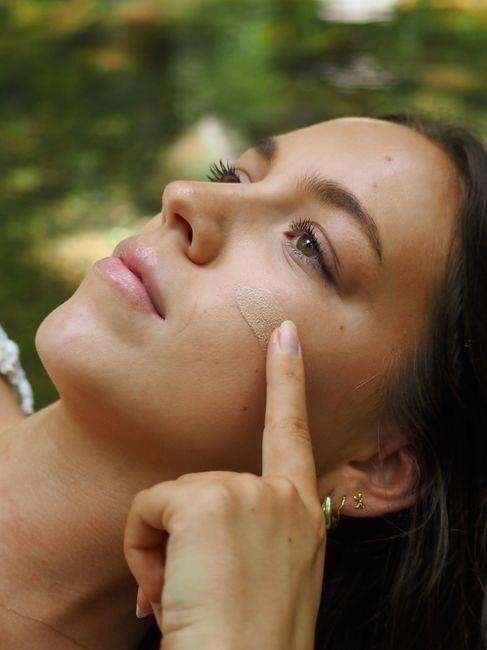
To pinpoint the ideal Maybelline Skin Tint shade, the wrist test offers a quick, reliable gauge of your undertone. Begin by holding your arm out so the inner wrist is fully exposed to natural daylight. Observe the color of the veins: predominantly blue or violet veins indicate a cool undertone, greenish veins point to warm, and a blend of both suggests neutral. Next, apply a small amount of the tint to the wrist using a clean fingertip or a disposable brush. Blend gently, allowing the product to settle for a minute. If the tint appears pinkish or rosy, you’re likely on a cool spectrum; a yellow or golden hue signals warmth; a balanced tone indicates neutrality. To confirm, compare the wrist result with a white paper held next to the wrist; the tint should appear seamless against the paper, without a stark contrast. This wrist test is especially useful when shopping online, as it helps you judge the shade before purchase. Many retailers provide a swatch card; use the wrist test to cross‑check the card’s shade against your skin. If the tint on your wrist looks too light or too dark compared to your face, adjust by selecting the slightly lighter or darker shade. Remember, the wrist test works best in daylight; artificial lighting can skew perception. For a final check, apply the tint to the jawline and blend outward; the transition should be invisible. By mastering the wrist test, you’ll consistently choose the Maybelline Skin Tint that enhances your natural glow, reduces the risk of mismatch, and saves time and money on returns. Consistency in shade selection also builds confidence in your makeup routine, allowing you to

4.3 Sample Swatches for Accurate Shade

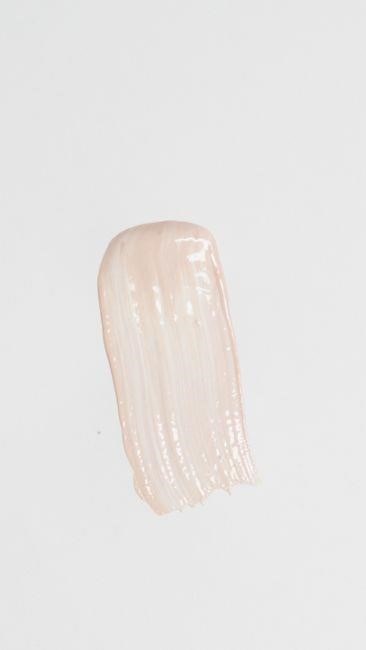
When shopping for Maybelline Skin Tint, the most reliable way to secure a perfect match is to examine sample swatches. Retailers often provide a small card or a digital swatch that displays the exact shade on a neutral background. Begin by holding the swatch against a white paper under natural lighting; this neutral reference eliminates color bias. Next, apply a thin layer of the tint to the swatch using a clean brush, then press the swatch onto the jawline of your face. The goal is to see how the color blends with your skin tone in real lighting. If the swatch appears slightly lighter or darker than your natural complexion, adjust by selecting the adjacent shade. Once you have the sample, repeat the wrist test to confirm consistency. By using sample swatches and virtual tools, you can dramatically reduce the risk of a mismatch, ensuring that your Maybelline Skin Tint enhances your natural glow without the need for multiple returns.

For the most accurate comparison, keep a small notebook or a digital photo of each swatch you test. Label the shade number and your skin undertone. When you return to the store or order online, you can quickly reference your notes. Some beauty enthusiasts also use a colorimeter app that measures skin tone and suggests the closest Maybelline shade. These apps analyze the RGB values of your skin and match them to the product’s color chart. While not foolproof, they provide a data‑driven starting point; Finally, remember that lighting conditions change throughout the day; a shade that looks perfect in the morning may appear slightly different in the evening. Test the swatch in both daylight and artificial lighting to ensure it remains consistent across scenarios. If you notice any undertone shift after a few hours, a reapplication can bring the tint back to its original hue. By combining swatch testing, virtual try‑ons, and color‑matching tools, you can confidently select a Maybelline Skin Tint that feels like a natural extension of your skin.